Remote tmux for iOS
Your terminal, on your phone. Chat with your coding agent from anywhere.
While You Relax
Kick off an AI agent task on your PC, then chill on the couch. Get a push notification and reply right from your phone.
One-Tap Replies
Save common commands like "y", "n", or "yes" and send them with a single tap. No keyboard needed.
All Sessions at a Glance
Dev, prod, experiments... manage multiple tmux sessions in one place. Switch between them with a tap.
On the Go
Set up remote access and stay connected during lunch breaks or while taking a walk.
Features
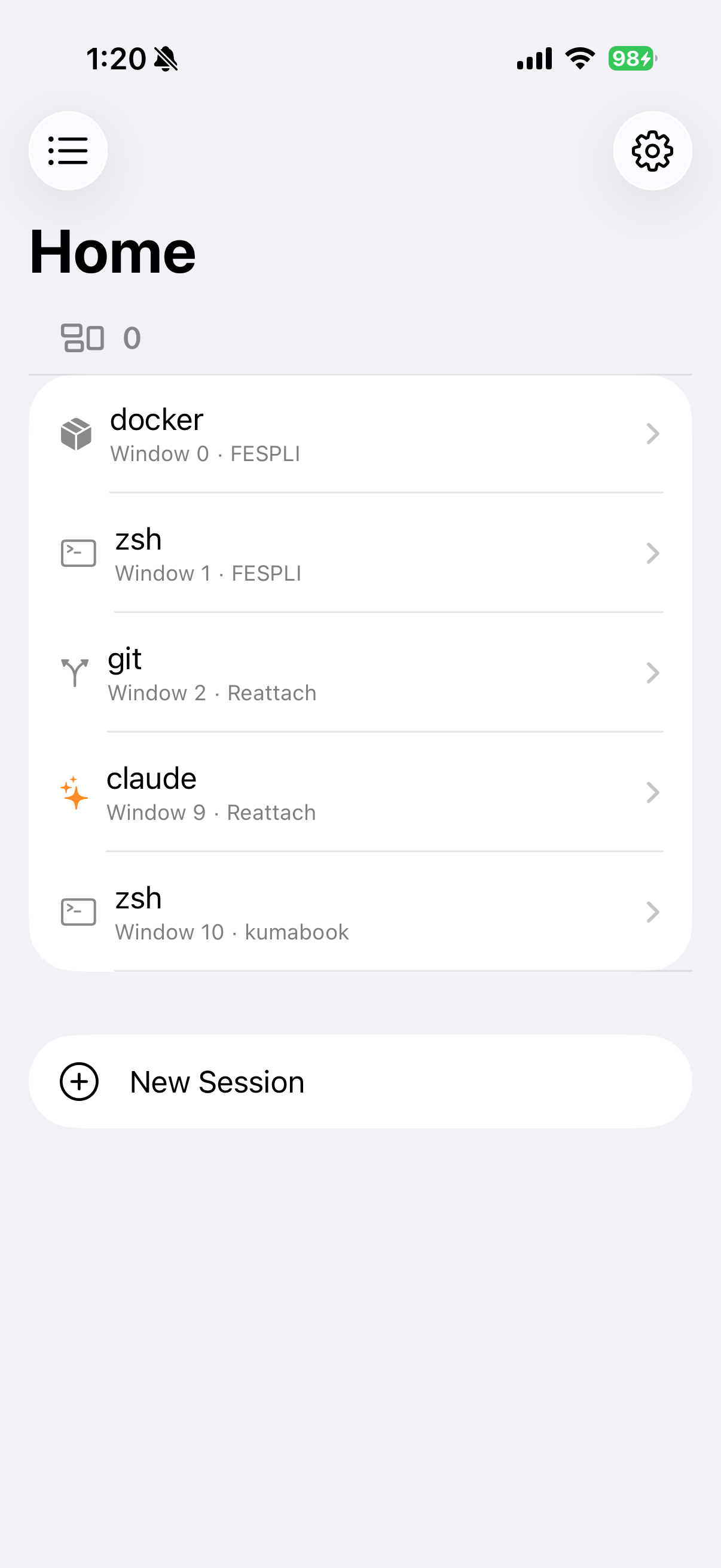
tmux Session Management
View and control your tmux sessions from your iPhone or iPad. All your sessions are listed with their windows and panes. Tap to connect and start working remotely.
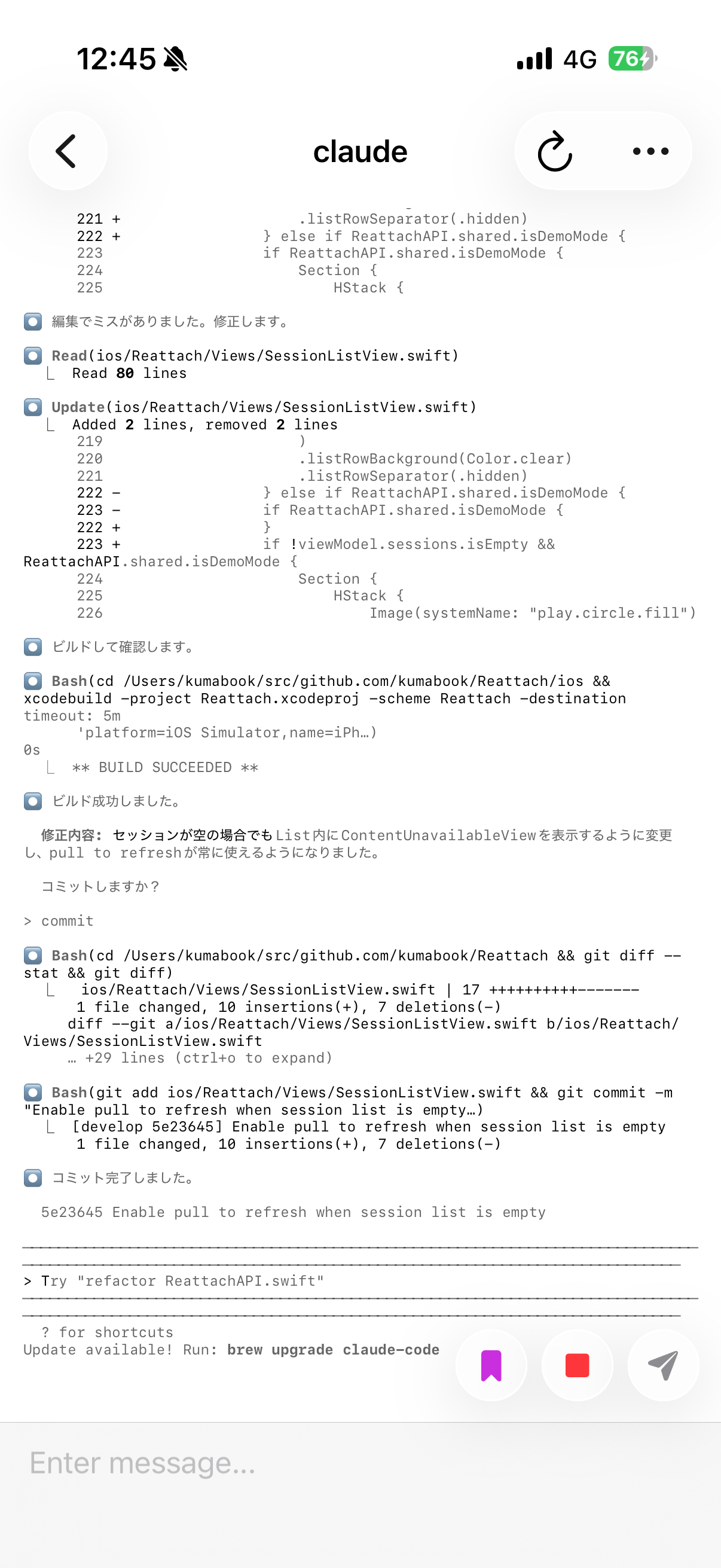
Command I/O
See your terminal output in real-time. Monitor long-running tasks, watch build progress, or check on your AI coding assistant. Send commands directly from your phone.
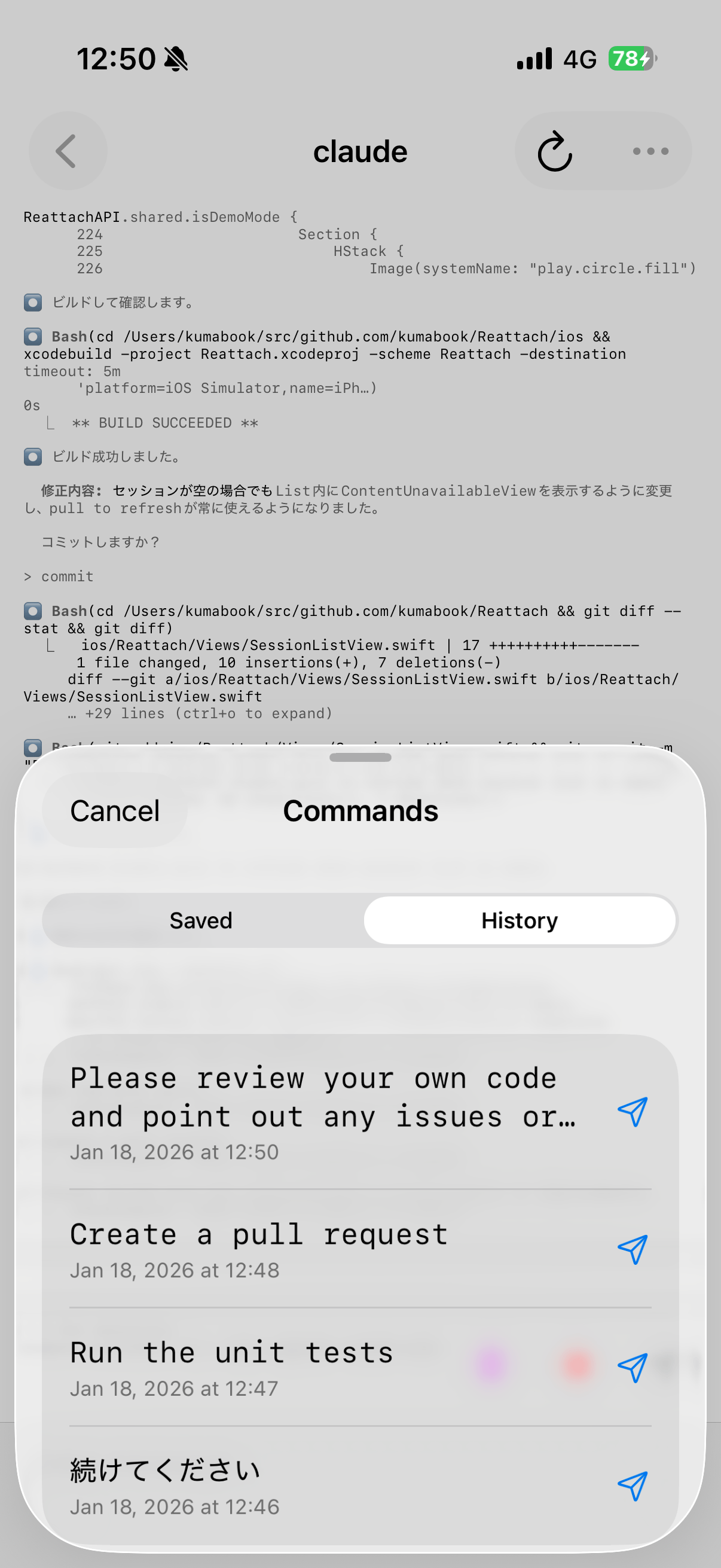
Command History
Save frequently used commands for quick access. No need to type the same commands over and over. One tap to send any saved command to your terminal.
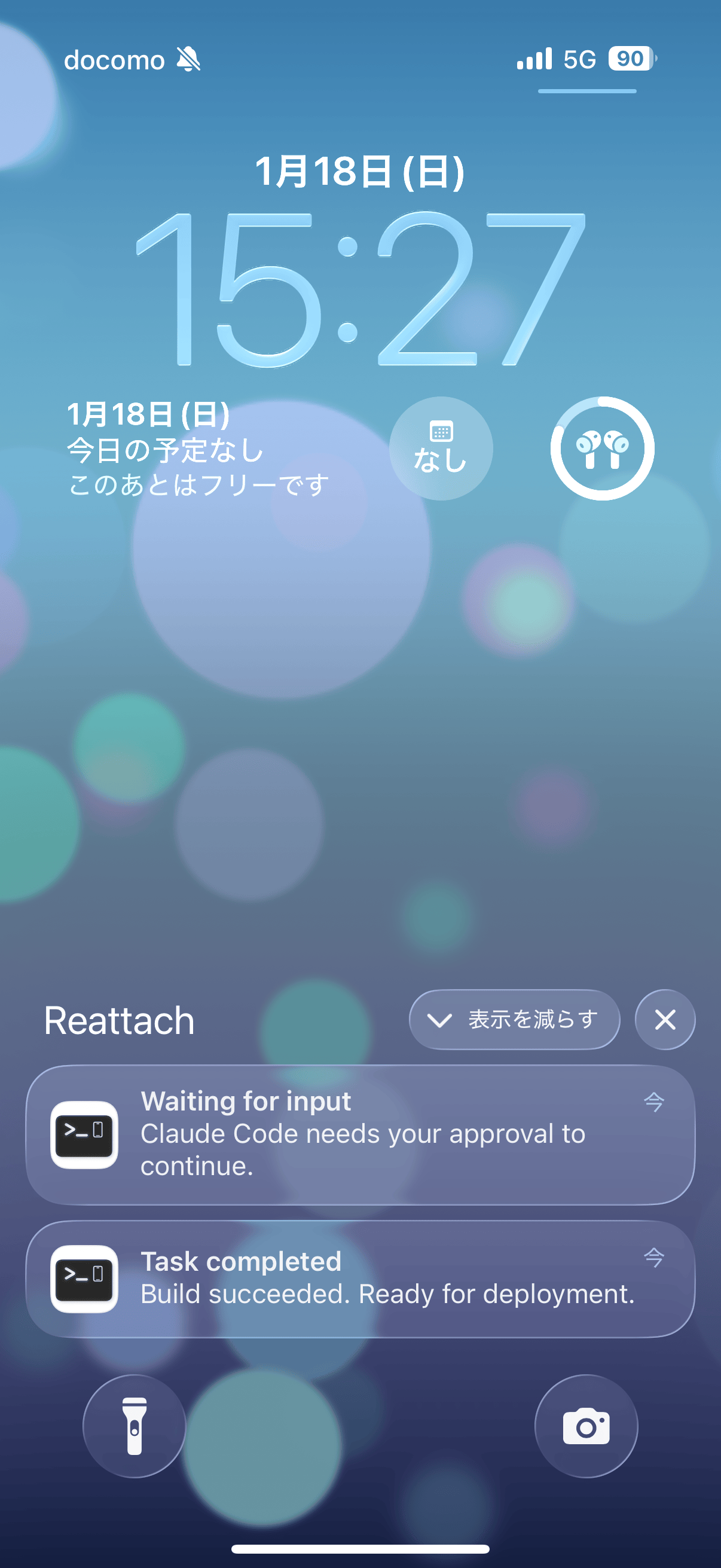
Push Notifications
Get notified when your AI coding assistant needs input or when tasks complete. Never miss an important prompt — respond from anywhere without returning to your desk.
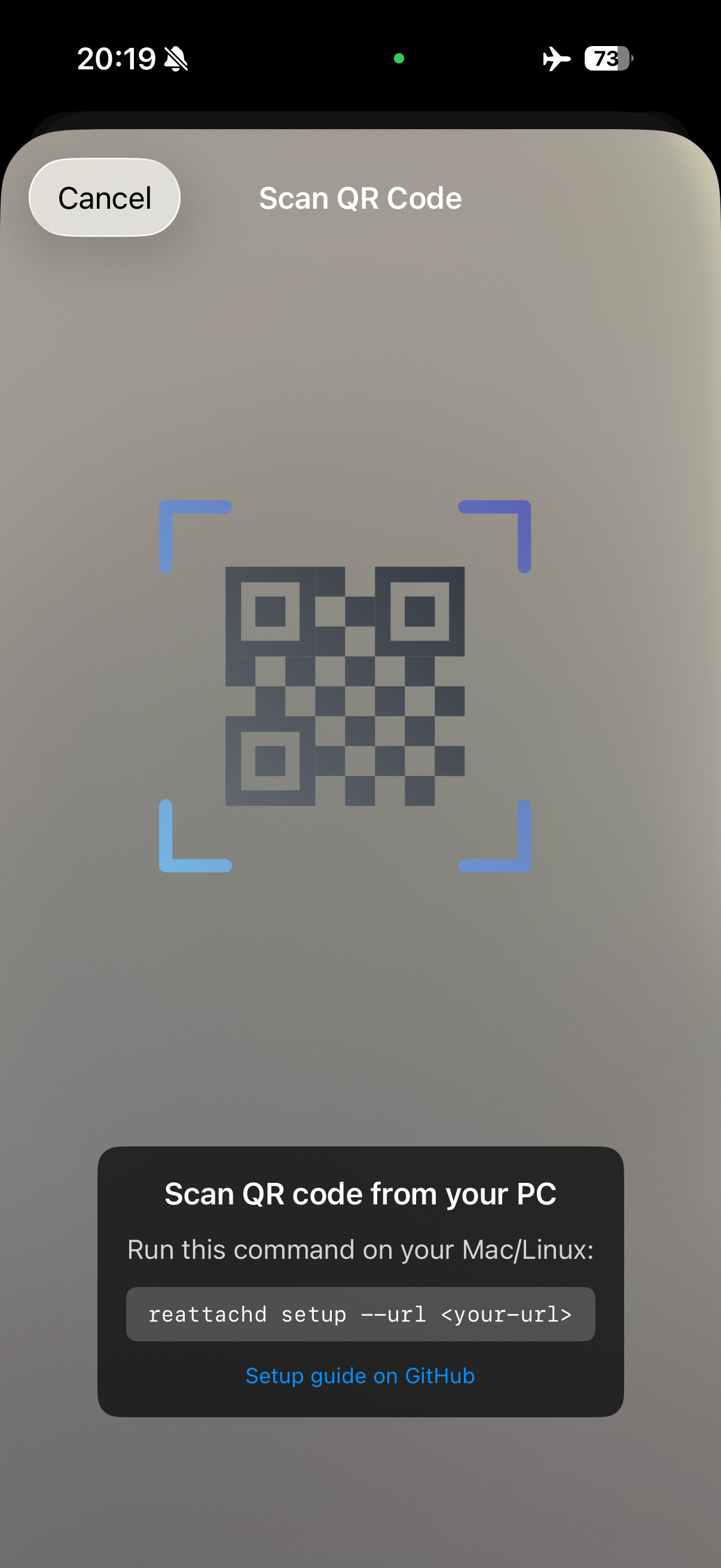
Easy Setup
Just scan a QR code to connect. Run a simple command on your Mac or Linux machine, scan the code with the app, and you're ready to go.
How it Works
Simple architecture — connect from home or anywhere
Local Network
Connect via local IP addresshttp://192.168.x.x:8787
Remote Access
Connect via secure tunnelhttps://your-domain.com
Reattach — iOS app available on the App Store. View and control your tmux sessions from your iPhone or iPad.
reattachd — Lightweight daemon to install on your Mac or Linux machine. Provides an HTTP API that bridges the app and tmux.